RTE Player is a popular online streaming service with live channels – a very familiar name in Ireland.
But what if you are in the UK and want to watch your favorite content on this platform?
RTE Player has the license to show content only in Ireland. This means that if you are in any other country, you cannot watch the RTE player.
Now the big question: If I am in UK, is there any way to bypass this restriction?
Yes! There are ways to watch this platform in the UK!
For example, with SuperFree VPN, you can change your IP address and unblock this streaming service – but we will discuss it later.
Just stick with me, and I will highlight the methods to watch RTE Player in the UK.
Watch RTÉ Player in UK with SuperFree VPN

Think about it: How does this streaming service know you are not in Ireland?
Your IP address tells websites where in the world you’re connecting from. So, when you try to access RTÉ Player, its servers check your IP.
If it shows you’re outside Ireland, the live channels are blocked – this is the main concept of geo-blocking
But here’s the deal: with the right tool, you can change your IP so the site thinks you’re browsing from Ireland.
Enter SuperFree VPN: It’s one of the most reliable VPNs for watching RTÉ Player from the UK – you get free and secure access to geo-blocked platforms.
Simple Steps To Unblock RTE Player with SuperFree VPN
Enough of the tech talk now! Let’s dig into the step-by-step process to watch RTE Player in the UK.
1. Click here to download SuperFree VPN – it’s completely free
2. Open the file and start the installation
3. Once it’s installed, open the application and sign up by creating an account (you will also need to verify your email)
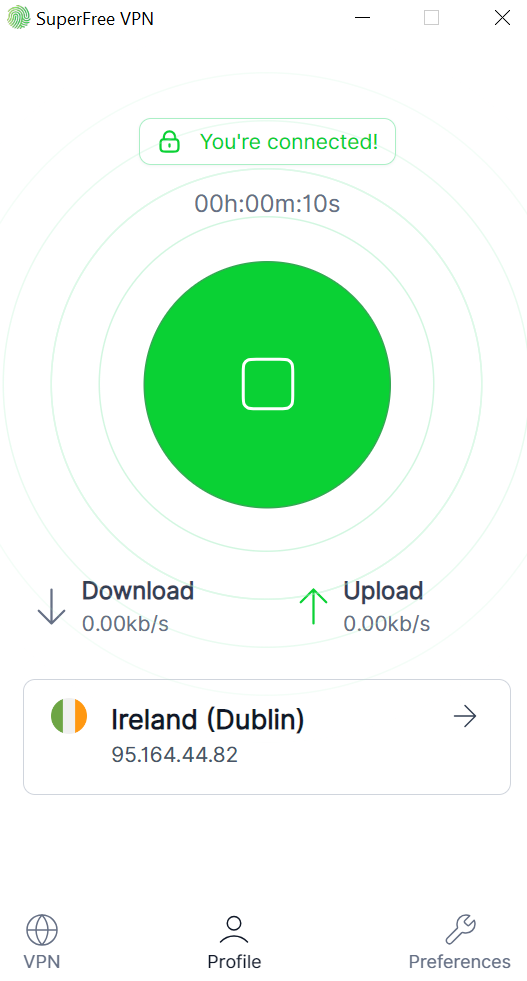
4. Connect to an Ireland server (to change your virtual address to Ireland)
5. Visit RTE Player’s website and log in with your credentials
6. Now, you can watch any live show/TV season or movie available on this platform
Why You Should Choose SuperFree VPN
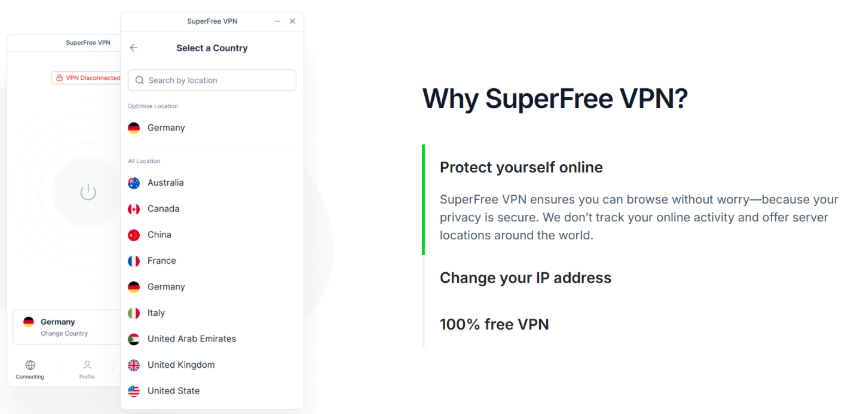
If you search online, you will find many Virtual Private Network applications out there. So what makes SuperFree VPN the best free VPN tool?
Firstly, it’s completely free – unlike some other VPNs, you won’t have to worry about paying additional $$ to unlock premium features.
The following table further shows what makes it the best choice to access geo-blocked platforms:
| Feature | Description |
| Completely Free | No charges for using the service. You can enjoy premium features for no cost. |
| Fast connection | You can connect to any server in real quick time |
| User-Friendly | Easy to set up and connect instantly. |
| Multiple Global Servers | Allows you to choose any server from 25+ countries. |
| High-level Encryption | Keeps your online data private with military-grade encryption |
Other Methods to Watch RTE Player in the UK
While installing a VPN is the easiest and most cost-effective way to stream RTE player in the UK, it’s not the only method.
In this section, I will walk you through alternative methods in case you don’t like VPNs:
Use a Smart DNS Server

A Smart DNS server is another tool you can use to bypass geographic restrictions and unblock the RTE player in the UK.
In simple words, it tricks the web server into believing that you are actually browsing from Ireland by hiding your IP address.
This process is simple and doesn’t require much technical knowledge.
Here’s what you need to do:
i) Download any popular Smart DNS server provider like Smart DNS Proxy, etc
ii) Sign up with your email address and verify your account
iii) Now, log in with these credentials, and you will come across the dashboard
iv) Register with your current IP address
v) Manually change DNS settings by replacing your device’s actual IP address with the one provided by the Smart DNS server
vi) Save the settings and restart your device
vii) Visit RTE Player’s official website, and now you can watch live RTE channel broadcasts as well as popular shows
Manually Change DNS Settings
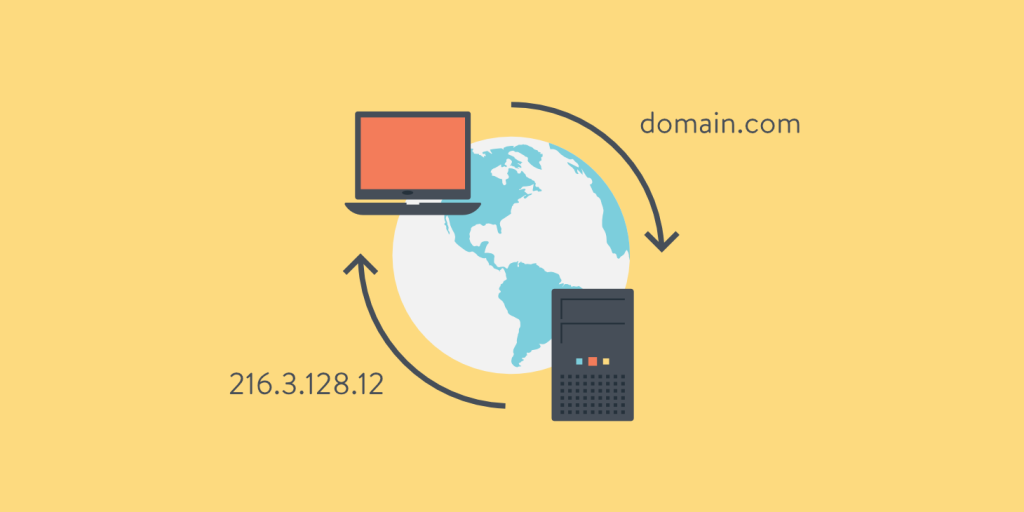
Yes, you read that right! By manually changing your DNS provider, you change your public IP address and watch RTE player from anywhere outside Ireland.
Follow these steps:
i) Open your device’s network settings
ii) Find the section “IP settings” – you might find it under the “Change Adapter Settings” option
iii) Change the DNS mode to “manual”
iv) Enter two valid public DNS addresses – you can use Google’s 8.8.8.8 and Cloudflare’s 1.0.0.1. Apply these changes
v) After restarting the router, you can visit RTE Player’s website and watch your favorite content without a fuss
Top Irish Movies Available on RTE Player

Source: imdb
Whether you are a fan of history-based movies or just comedy TV shows, RTE Player has something available for everyone.
The following table shows the most popular and best-rated Irish movies you can stream on this platform:
| Movie Name | What Makes it Special |
| Arracht | An Irish movie that takes us back to the era of the Great Famine in Ireland, it highlights the injustice faced by those who lived in rural areas. |
| A Love Divided | Based on a true event from the 1950s in Ireland, this is a story of forbidden love between a Catholic and a Protestant couple. |
| An Irish Goodbye | It is an Oscar-winning short movie that combines humor and grief while portraying the lives of a rural Irish family. |
| Five Minutes of Heaven | Another movie based on real-life events, it narrates the story of a man named Joe Griifin who watches his brother being murdered. An IMDB rating of 6.5 highlights its popularity even today. |
| No Stone Unturned | In 1994, six men were murdered in a Northern Ireland bar. While the case remains unsolved, this documentary film examines the facts and myths surrounding it. |
Final Thoughts
RTE Player is officially only available in Ireland. But that doesn’t mean you have to miss out on your favorite films/TV shows on this platform.
SuperFree VPN is the best choice to get around the restrictions and watch RTE Player in the UK – without spending a penny!